


Having Mumble Installation Problems on Windows?
Try Installing Mumble manaully from our zip file.
-
Download and install Microsoft Visual C++ 2010 Redistributable Package (x86)
-
Right click on the downloaded zip file and choose Extract All...

-
Extract the directory of files to "C:\" as shown below.

-
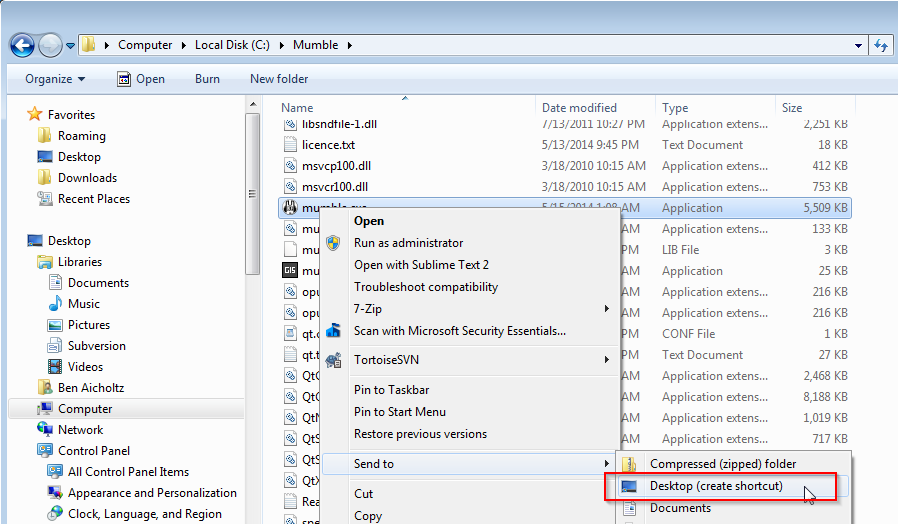
Navigate to "C:\Mumble". Right click on "Mumble.exe" and choose Send To -> Desktop to create a desktop shortcut.
-
Double-Click on the Mumble.exe or the Mumble desktop short-cut to run Mumble.