
Links


Fixing Robotic or Distorted Sound In Mumble
Here are a few fixes that can help cure the "robot voice" or distortion problems Mumble can have.
-
Open Mumble
-
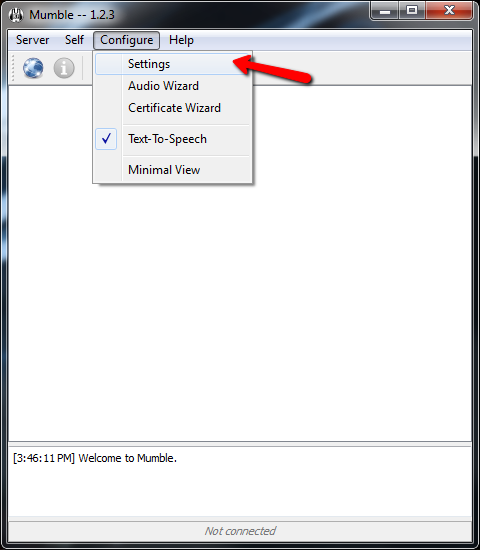
Open the Mumble Configuration MenuAt the top of the Mumble program click the "Configure" option then click "Settings".
-
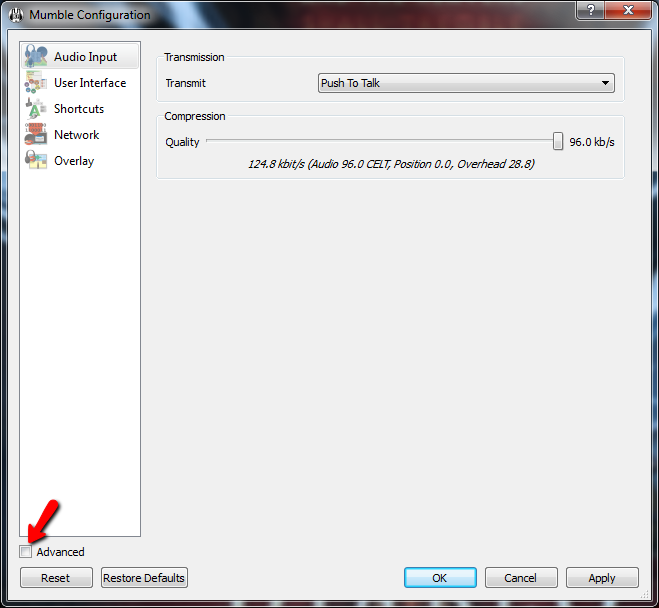
Set Advanced ModeAt the bottom left of the program select the "Advanced" option.
-
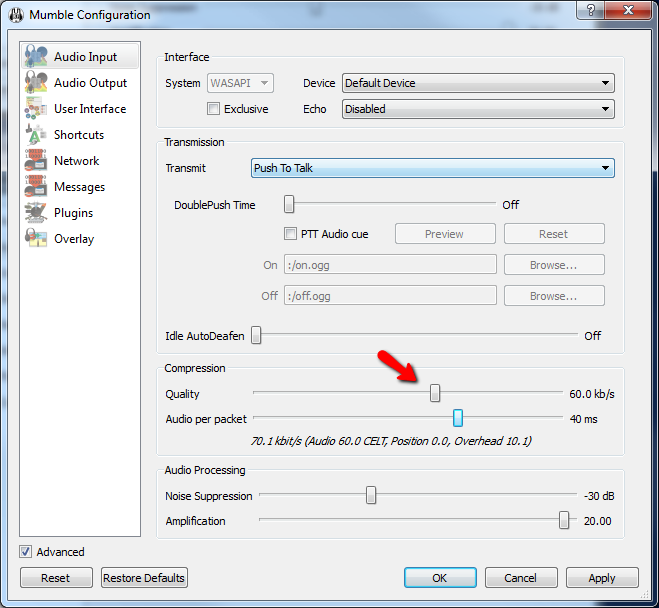
Change the Compression SettingsTry lowering the codec quality down a few selections, as well as increasing the audio per packet setting up a few selections.
-
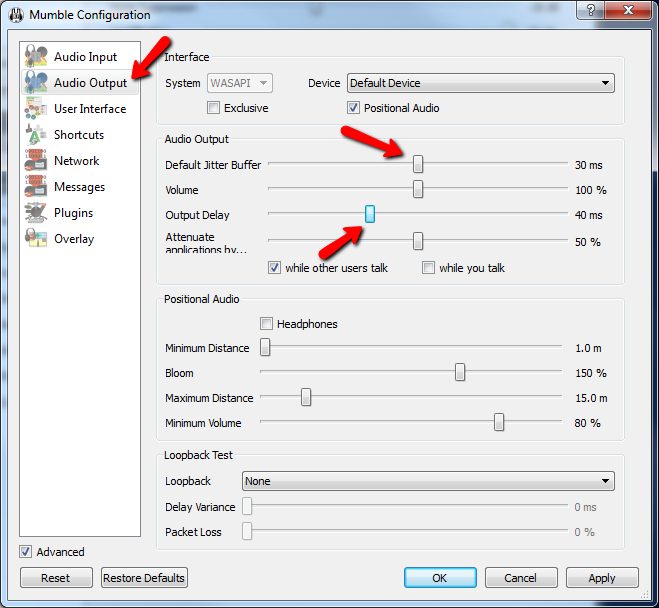
Increase the "Jitter Buffer"Try increasing the Jitter Buffer up a few selections and see if this helps any.
I have been overwhelmed with the level of professionalism and expertise displayed by Lightspeed and its affiliates! You guys rock! -Brian
Features
-
Server Status ScriptDisplay your server channels and connected users on your website
-
Instant SetupYou're ready to connect to your server the instant it's purchased
-
Satisfaction GuaranteedEasy cancellation, no hidden fees, and a 30-day money-back guarantee!
-
Custom HostnameGet a certified mumble.com hostname, such as wowguild.mumble.com
Account



© 2004-2026 LightSpeed Gaming LLC
Mumble.com is owned and operated by LightSpeed Gaming, LLC and is not affiliated with the Mumble Project